How to Use Waypoints in Bait Boat Autopilots – EXTREME-PILOT Tutorial
Bait boat autopilot waypoints – a key feature of EXTREME-PILOT that distinguishes a professional GPS autopilot from a toy! With waypoints, you can avoid obstacles (islands, reeds, shallows) and reach exactly where you want with precision <0.5m.
🎯 Waypoints in EXTREME-PILOT – Navigate Around Obstacles Like a PRO!
Bait boat autopilot waypoints in EXTREME-PILOT are revolutionary! This GPS autopilot doesn’t just travel straight to the destination, it can also navigate around obstacles using waypoints! This is a feature that distinguishes a professional bait boat autopilot from a toy. Waypoints allow precise obstacle avoidance.
In this tutorial you will learn:
- 📍 What waypoints are and why they are so important
- ⚡ How to set up a multi-point route in the EXTREME ONE app
- 🗺️ Practical examples – navigating around islands, shallows, reeds
- 💡 Advanced techniques – mapping with waypoints
- ❌ Common mistakes and how to avoid them
📍 What Are Waypoints in Bait Boat Autopilots?
Bait boat autopilot waypoints are GPS points that the boat must pass through before reaching the destination point.
🔹 Basic mode (without waypoints):
Point A (HOME) → straight → Point B (destination)
The boat travels the shortest possible route – in a straight line.
🔹 Mode with waypoints:
Point A (HOME) → WAYPOINT 1 → WAYPOINT 2 → Point B (destination)
The boat navigates around obstacles by traveling through selected waypoints.
🤔 Why Are Waypoints ESSENTIAL?
This is why waypoints are indispensable.
On real fishing spots, you rarely have a clear path to your baiting point:
- 🏝️ Islands – the boat can’t fly over an island, it must go around
- ⛵ Other boats on the water – you don’t want collisions
- 🌾 Reeds – overgrown shore sections will stop the boat
- 📐 Shallows – too shallow = boat gets stuck
- 🌊 Strong crosswind – boat may deviate from course
- ⚠️ River current – pushes the boat off course, route correction needed
Without waypoints:
Boat travels straight = stuck in reeds, collision with island, tangled in nets.
With waypoints:
Boat avoids everything = safe arrival at destination!
⚡ How to Set Up Waypoints – Step by Step
🎯 Practical scenario: Navigating around an island
Situation:
You have three elements to consider:
- You are on the shore (HOME Point)
- You want to bait behind the island (BAIT Point)
- There’s an island between you and the destination (obstacle!)
✅ STEP 1: Save the destination point (BAIT)
- Open the EXTREME ONE app
- Switch to the “EXTREME-PILOT” tile
- GPS map view – you see your position (blue dot)
- Long press behind the island (where you want to bait)
- Context menu → “Save point”
- Name: “BAIT behind island”
- Click “Save” ✅
✅ STEP 2: Save waypoints (navigating around island)
WAYPOINT 1 – left side of island:
- Long press to the left of the island (safe distance 10-15m from shore)
- Context menu → “Save point”
- Name: “WAYPOINT 1 – left”
- Click “Save” ✅
WAYPOINT 2 – behind the island (safe corridor):
- Long press just behind the island (in line with BAIT point)
- Context menu → “Save point”
- Name: “WAYPOINT 2 – behind island”
- Click “Save” ✅
✅ STEP 3: Create a multi-point route
- Click on the “BAIT behind island” point (destination)
- Context menu → “Navigate to point”
- App shows straight line HOME → BAIT (crosses the island! ❌)
- Click the “Add waypoints” button (🔗 icon)
- Select from the list:
- ✅ “WAYPOINT 1 – left”
- ✅ “WAYPOINT 2 – behind island”
- Click “Confirm route”
✅ STEP 4: Start the autopilot
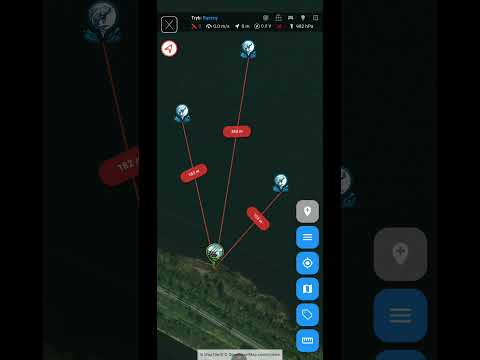
- The line on the map now shows: HOME → WAYPOINT 1 → WAYPOINT 2 → BAIT ✅
- Click the “START” button (green)
- Boat heads toward WAYPOINT 1
- After reaching WAYPOINT 1, automatically turns toward WAYPOINT 2
- After reaching WAYPOINT 2, automatically turns toward BAIT
- Reached destination → hoppers open automatically (if configured) → BAITED! 🎣
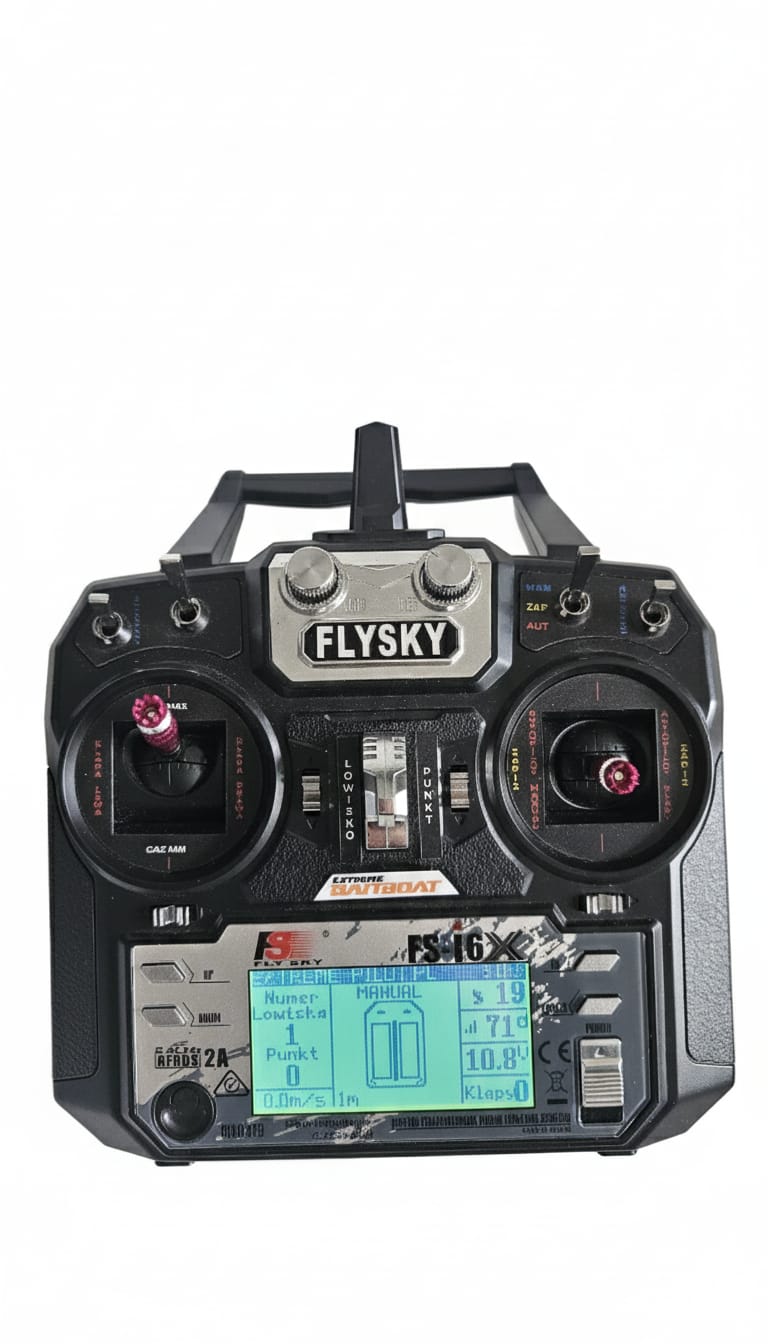
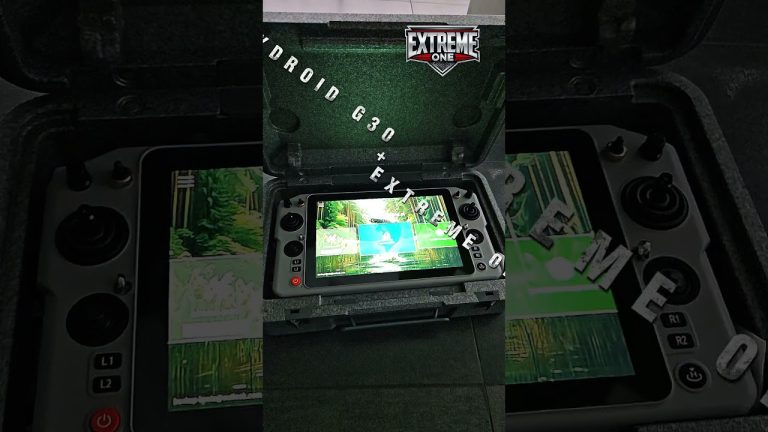
Flysky remote with EXTREME-PILOT – backup for autopilot waypoints
📊 Comparison: With Waypoints vs Without
| Parameter | ❌ Without waypoints | ✅ With waypoints |
|---|---|---|
| Route | Straight through island (COLLISION!) | Navigates around island from left (SAFE!) |
| Distance | 120m (theory) | 180m (practice – longer but WORKS!) |
| Time | Won’t arrive (stuck) | ~3 minutes (guaranteed arrival) |
| Safety | Risk of boat damage | 100% safety |
| Precision | N/A (won’t arrive) | <0.5m (exactly at BAIT point!) |
🗺️ Practical Examples: Bait Boat Autopilot Waypoints
🌾 Example 1: Waypoints – Navigating Around Reeds
Problem: You want to bait 50m from shore, but the shore is overgrown with reeds 15m into the water.
Solution:
- 📍 BAIT Point: 50m from shore (in clear water)
- 📍 WAYPOINT 1: 20m from shore (past the reeds), parallel to shore
- 📍 Route: HOME → WAYPOINT 1 (parallel) → 90° turn → BAIT
Result: Boat travels parallel to shore (avoids reeds), then turns perpendicular toward BAIT point. Zero tangles!
⛵ Example 2: Waypoints – Navigating Around Boats
Problem: Crowded fishing spot, 5 other anglers, their boats parked between you and your baiting point.
Solution:
- 📍 WAYPOINT 1: Far to the left (safe corridor)
- 📍 WAYPOINT 2: Behind the boats (open space)
- 📍 BAIT Point: Your destination
Result: Boat navigates around all boats in a wide arc. No conflicts with other anglers!
📐 Example 3: Waypoints – Navigating Around Shallows
Problem: There’s a shallow area (0.5m depth) in the middle of the fishing spot – boat will get stuck.
Solution:
- Use the EXTREME-MASTER SONAR fishfinder to map the shallow. Also see how offline maps in EXTREME ONE help with route planning
- Mark the shallow boundaries on the GPS map
- 📍 WAYPOINT 1: To the left of the shallow (depth OK)
- 📍 BAIT Point: Past the shallow
Result: Boat avoids the shallow from the left, safely travels at 2-3m depth.
🌊 Example 4: Waypoints – Wind Correction
Problem: Wind blowing from the left pushes the boat 5-10m off course.
Solution:
- 📍 WAYPOINT 1: 30m to the right of the straight line (wind compensation)
- 📍 BAIT Point: Final destination
Result: Boat compensates for wind by first traveling right, then corrects course and arrives exactly at destination.
💡 Advanced Techniques – Mapping with Waypoints
Automatic mapping in EXTREME-PILOT allows you to scan a large area of the fishing spot with a fishfinder. But what if there are obstacles at the venue?
🎯 Mapping while avoiding an island
Scenario: You want to map the entire fishing spot (100m x 50m rectangle), but there’s an island in the middle.
Solution – divide mapping into 2 parts:
Part 1: Left side of venue (before island)
- Set mapping rectangle: top left corner → bottom left corner
- Line width: 2m
- 📍 WAYPOINT 1: Left side of island (transition to part 2)
- Start mapping → boat scans left side
Part 2: Right side of venue (past island)
- Set new mapping rectangle: top right corner → bottom right corner
- Start mapping → boat scans right side
Result: Entire venue area mapped with fishfinder (with GPS!), island was avoided.
❌ Common Mistakes When Using Waypoints
❌ Mistake 1: Too Few Waypoints
Problem: You set 1 waypoint for a complex route (multiple obstacles).
Result: Boat avoids the first obstacle but gets stuck in the second.
✅ Solution: Use 2-3 waypoints – each avoids one obstacle.
❌ Mistake 2: Waypoints Too Close to Obstacles
Problem: You save a waypoint 2m from the island shore.
Result: Boat may scrape the shore (risk of damage, tangling in branches).
✅ Solution: Safe distance: 10-15m from obstacle (wind, current, GPS precision).
❌ Mistake 3: Sharp Turns
Problem: You set waypoints so the boat must turn 90° or more.
Result: Boat loses speed, uses more battery, may deviate from course.
✅ Solution: Turn angle max 45-60°. If you need a sharper turn → add another waypoint.
❌ Mistake 4: Wrong Order
Problem: You add waypoints in wrong order: WAYPOINT 2 before WAYPOINT 1.
Result: Boat travels in wrong direction, performs unnecessary maneuvers.
✅ Solution: Always check the route line on map before starting autopilot. Line should be logical: HOME → 1 → 2 → 3 → DESTINATION.
❌ Mistake 5: Not Testing the Route
Problem: You immediately send the boat with bait without testing the route.
Result: Boat gets stuck in obstacle → bait wasted, boat may get damaged.
✅ Solution: Test the route WITHOUT bait! Send the boat empty, watch how it avoids obstacles. If OK → only then send with bait.
🎓 Summary – Checklist Before Using Waypoints
✅ Before starting autopilot ALWAYS:
- 🗺️ Check GPS map – does the route line avoid all obstacles?
- 📐 Distance from obstacles: Min. 10-15m safety margin
- 📍 Point order: HOME → 1 → 2 → … → DESTINATION (logical route?)
- 🎯 Turn angles: Max 45-60° (smooth turns = battery savings)
- ⚡ Route test: First run WITHOUT bait (verification)
- 🔋 Battery status: Longer route = more energy (check voltage!)
- 📱 IBUS range: Is the entire route within 700m range? (EXTREME-PILOT)
🎯 Why Waypoints Are a GAME CHANGER
Bait boat autopilot without waypoints:
- ❌ Stuck in reeds
- ❌ Collisions with islands
- ❌ Tangled in other anglers’ nets
- ❌ Stress and frustration
- ❌ Wasted time rescuing the boat
With waypoints:
- ✅ Safely navigate around ALL obstacles thanks to waypoints
- ✅ Bait EXACTLY where you want (precision <0.5m)
- ✅ Peace of mind – you know the boat will arrive safely
- ✅ More time fishing (instead of rescuing the boat!)
- ✅ Professional baiting thanks to waypoints even on the most difficult venues
📺 Watch #TutorialTuesdaysExtreme on social media!
Want to see waypoints in action? Check out our tutorial series:
- 🎵 TikTok: @extremebaitboat – short 60s tutorials
- 📘 Facebook: /extreme.baitboat – longer explanations
- ▶️ YouTube: /extreme-baitboat – full step-by-step tutorials
- 📷 Instagram: @extreme_baitboat.pl – before/after photos
EVERY WEEK a new tutorial! Follow us and become an autopilot expert! 🚀
🎁 Bonus: Ready-made Route Templates with Waypoints
We provide ready-made routes to download in the EXTREME ONE app:
- 🏝️ “Navigating around island – left bank” – classic route with 2 waypoints
- 🌾 “Shoreline reeds” – route parallel to shore + 90° turn
- ⛵ “Crowded venue” – navigating around 3 other anglers’ boats
- 📐 “Shallow in middle” – avoiding shallow in wide arc
How to download? Open app → EXTREME-PILOT tile → Menu → “Route library” → Download template → Done!
❓ FAQ – Frequently Asked Questions
❓ How many waypoints can I add to one route?
✅ EXTREME ONE has no waypoint limit! You can add 5, 10, 20 waypoints if needed.
❓ Can I edit waypoints after saving the route?
✅ Yes! Click the point → “Edit” → Move on map → “Save”.
❓ Does the boat automatically transition between waypoints?
✅ Yes!
After reaching a waypoint (precision <0.5m), it automatically turns toward the next point.
❓ What if the boat deviates from the route (wind, current)?
✅ EXTREME-PILOT automatically corrects course 10 times per second. The waypoint system works in real-time. Boat returns to route.
❓ Do waypoints work with automatic mapping?
⚠️ Partially. You can set a waypoint BEFORE starting mapping, but during mapping the boat automatically travels in lines.
❓ Can I share a route with waypoints with friends?
✅ Yes! Click the route → “Share” → Download link → Send to friend. It will automatically appear in their app!
🚀 Start Using Waypoints Today!
This is not an advanced feature only for experts.
Anyone can learn to use waypoints in 5 minutes! The EXTREME-PILOT waypoint system is intuitive.
Your first test:
- 🎯 Find an obstacle at your venue (island, reeds, anything)
- 📍 Save a destination point BEHIND the obstacle
- 📍 Add 1 waypoint NEXT TO the obstacle
- ⚡ Start the autopilot and watch the boat navigate around the obstacle!
Congratulations – you’ve just mastered bait boat autopilot waypoints! Check out the EXTREME-PILOT rev.4 in the shop. You are now a PRO at using EXTREME-PILOT! 🎉
📢 Follow #TutorialTuesdaysExtreme
EVERY WEEK a new EXTREME-PILOT tutorial!