
Screen themes in Extreme One 2.1.112 – four new variants
Screen themes are the most visible change in the Extreme One 2.1.112 update. Instead of a single background for everyone, you now get four screen themes to choose from: Navy and Turquoise, Forest Green, Graphite and Red, and Light Silver. You pick one yourself, with a single icon, and the setting covers both the device tiles and the drop-down menu of the bait boat app.
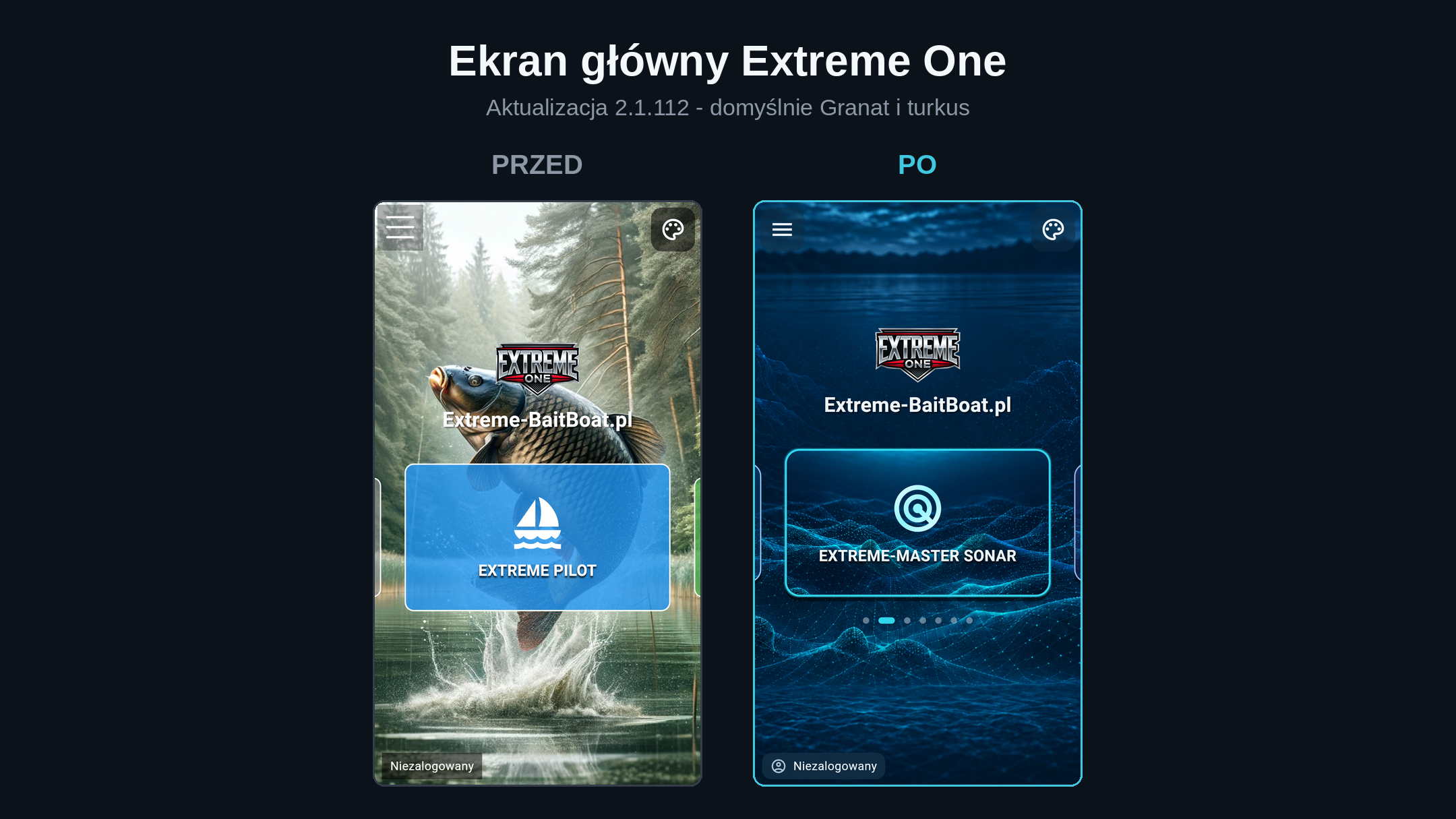
Four screen themes to choose from
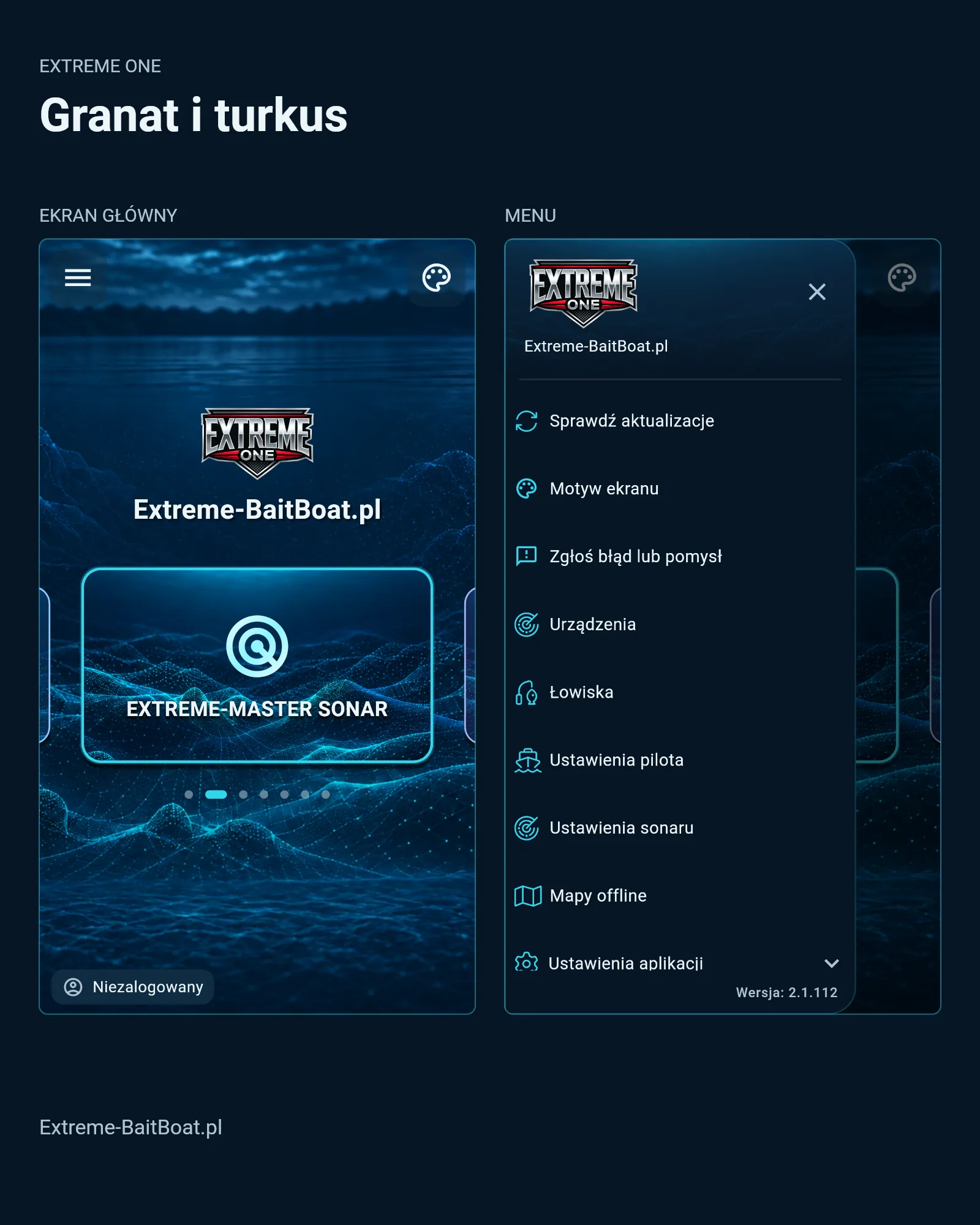
After the update, Navy and Turquoise is enabled by default. It was designed for working after dark, with bottom topography as the background and a turquoise outline around the active tile. If you were using the previous look, you will see the difference the moment you launch the app.
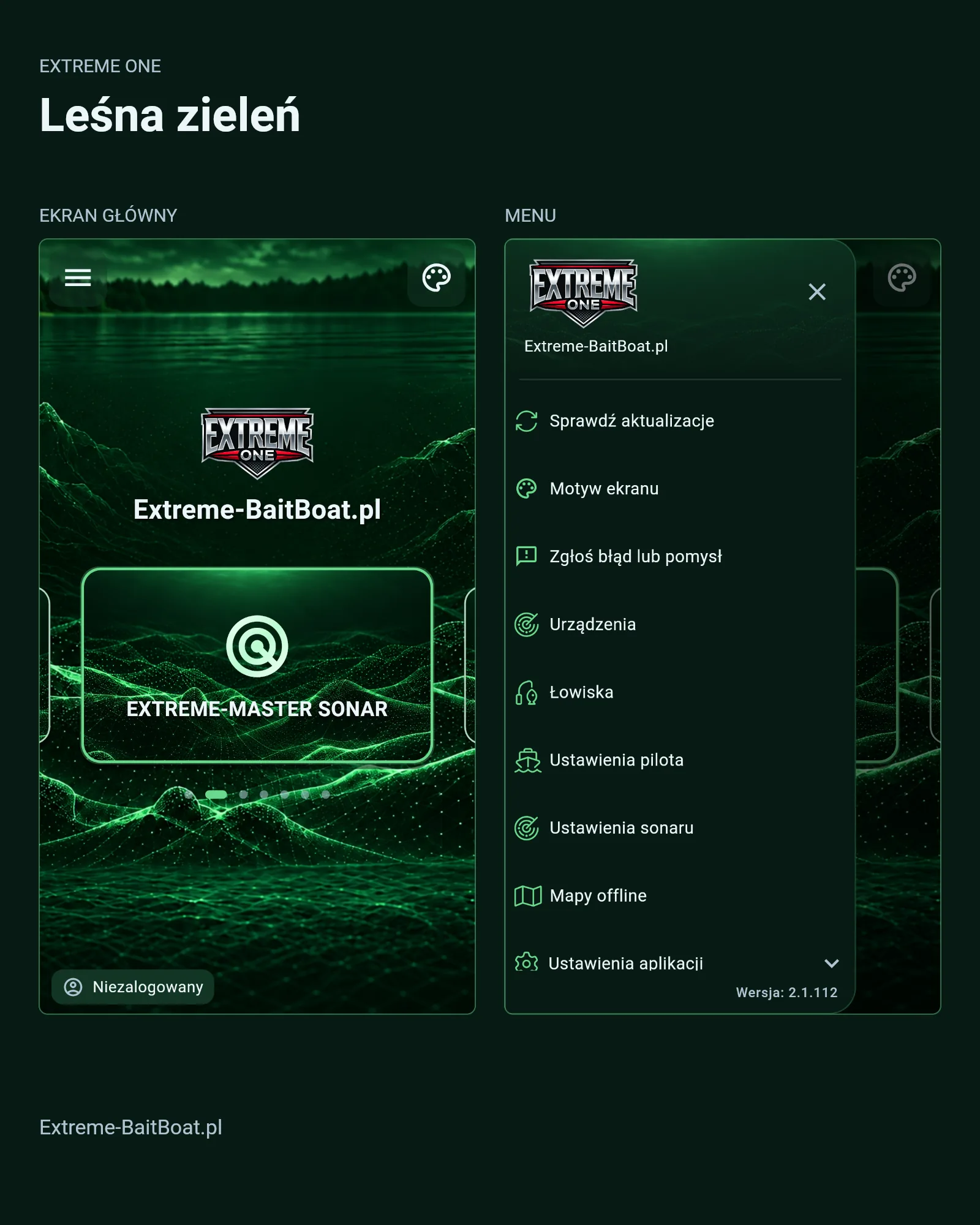
Forest Green is the same layout in a green tone, for anyone who prefers a warmer contrast. It works well on waters surrounded by forest, where green light is less intrusive than blue.
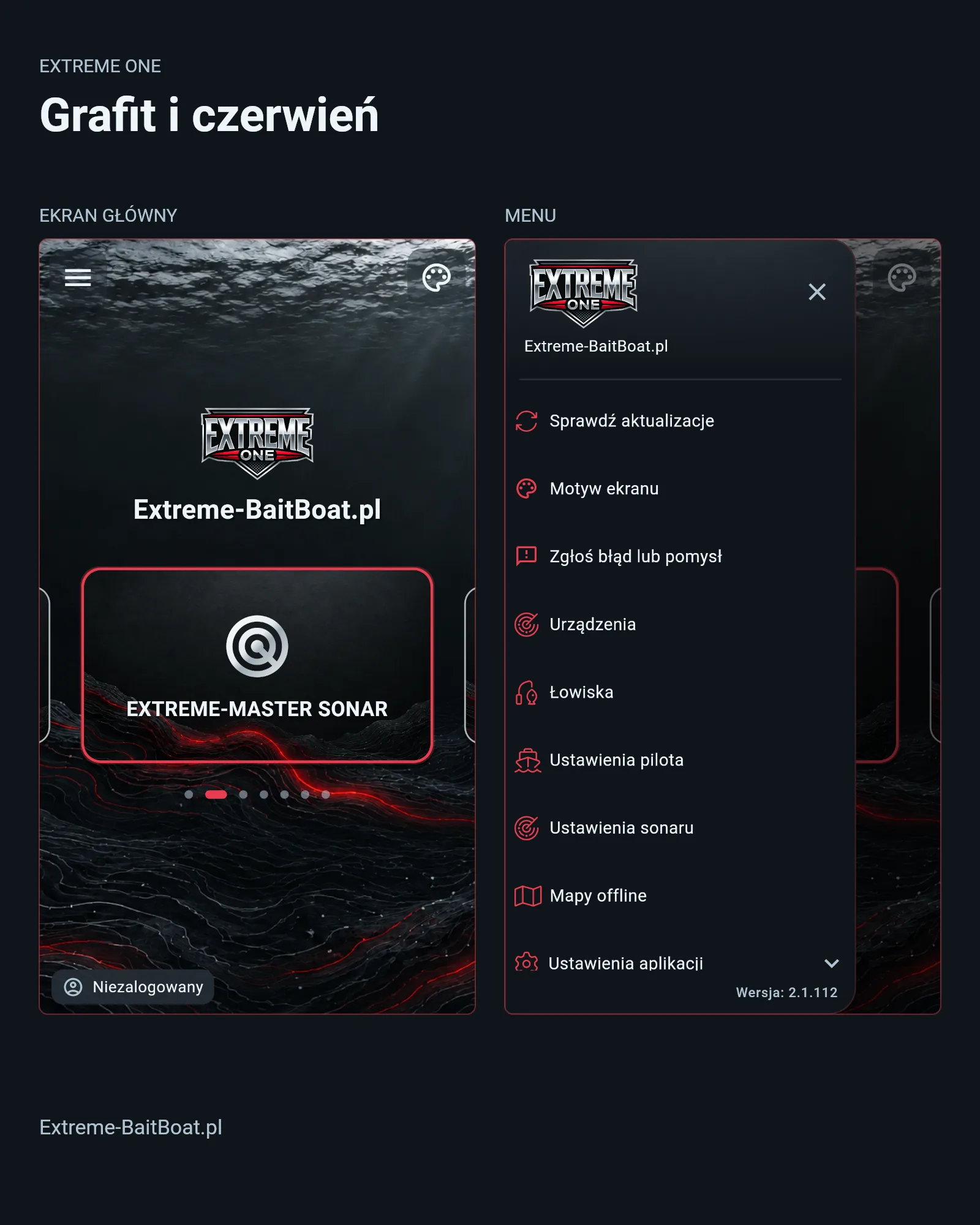
Graphite and Red is the darkest of the four and emits the least light. It is aimed at anglers who spend whole nights by the water and want the screen to stay out of the way while watching bite alarms.
Light Silver is the only light variant. It was made for daytime fishing, when the problem is not glare but the opposite: sun reflections on the display and too little contrast in a dark interface.
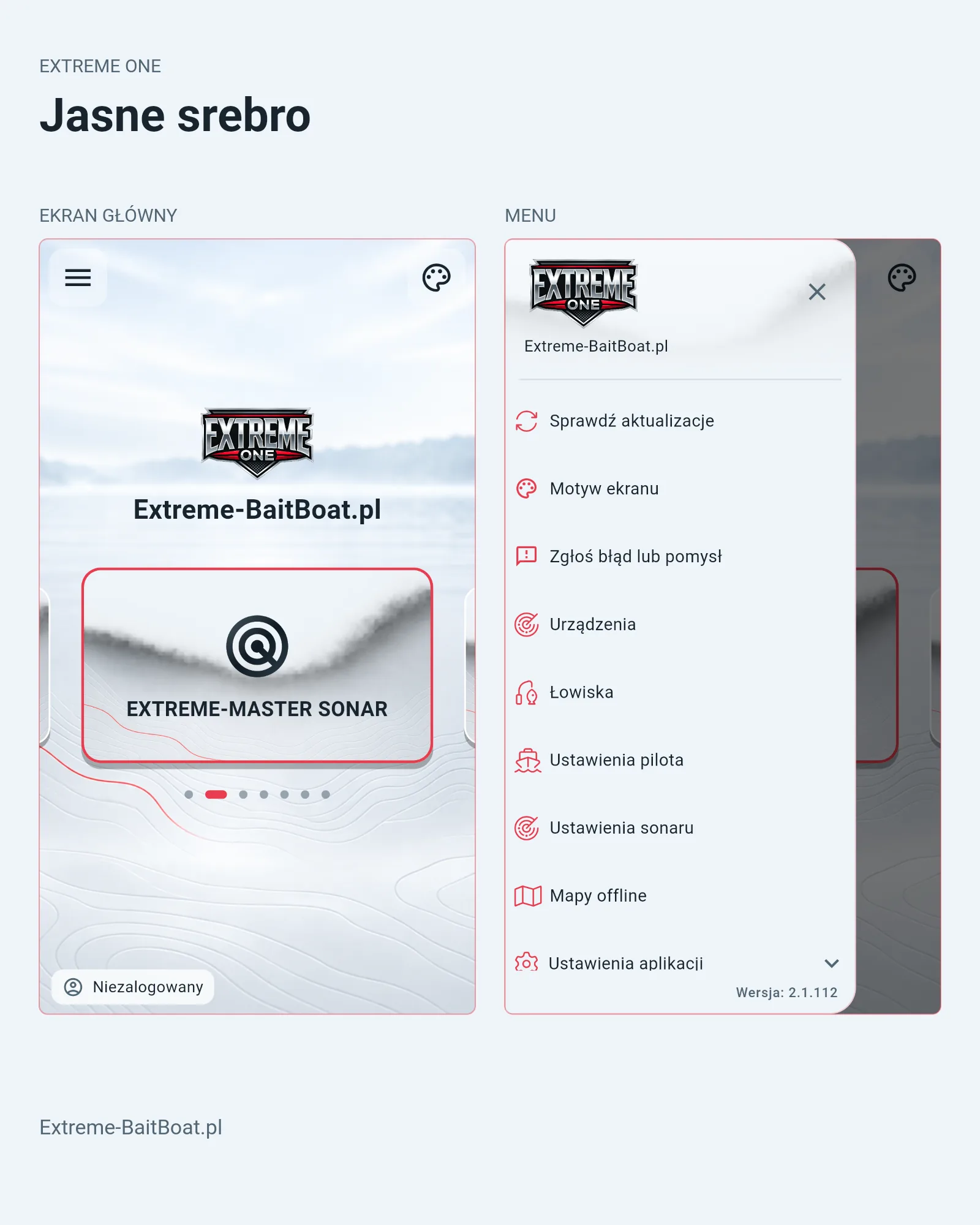
Why three of the screen themes are dark
Screen themes are built around legibility, not aesthetics alone. Carp anglers are usually by the water after dark, and a bright background blinds you and ruins your night vision. After looking at a brightly lit display, the eye needs tens of seconds, and for full adaptation even several minutes, before it can make out the bank and the water surface again.
Three dark variants limit that effect because a much smaller area of the screen emits light. Light Silver remains for those fishing during the day who need maximum contrast in full sun. It is the same approach used for years in avionics and marine navigation, where night mode is a standard rather than an add-on.
What the screen themes actually change
The change covers three interface layers at once. First, the home screen background, meaning the bottom topography graphic. Second, the device tiles – EXTREME PILOT, EXTREME-MASTER SONAR and the remaining carousel entries, together with the outline colour of the active tile. Third, the side menu, including the icons for entries such as Screen theme, Devices, Fishing spots and Remote settings.
The changes in this update affect the visual layer only. Autopilot control, sonar communication, saved fishing spots and every other function work exactly as before.
How to change the screen theme
- the palette icon in the top right corner of the home screen, or
- Menu → Screen theme
Your choice is stored in the app and survives a restart. The update itself is downloaded through Menu → Check for updates. If the menu still shows a version lower than 2.1.112, the update has not been downloaded yet.
Which devices support the new screen themes
This version of the Extreme One app runs on Skydroid consoles and on the RadioMaster AX12 radio. It supports the EXTREME-PILOT autopilot and the EXTREME-MASTER SONAR S300 fish finder, and the consoles themselves are available as Skydroid G20, G30 and G16.
Tablet and phone version – looking for testers
A version of the app for a regular tablet and phone is being developed in parallel, with the same screen themes. We are looking for people who will test it on the water rather than at a desk.
To be straight with you: these are real tests, not a finished product. The app may crash, some functions may not work, and updates will come one after another. In return you get a real influence on how the final version will look. If you are interested, please get in touch and tell us which device you use.
Frequently asked questions about screen themes
Does changing the screen theme delete saved fishing spots?
No. Screen themes affect the look of the interface only. Saved spots, waypoints, routes and paired devices stay untouched, no matter how many times you switch themes.
Does a dark theme save console battery?
On LCD screens, and that is what Skydroid consoles use, the difference in power draw is minimal because the backlight illuminates the whole surface anyway. The real benefit of dark screen themes is eye comfort after dark, not runtime.
Can I go back to the previous look?
The previous look is not available as a fifth theme. The closest one is Light Silver, the high-contrast daytime variant. If getting the old background back matters to you, write to us – we collect such requests and take them into account in future releases.
 Asystent pomocy Extreme One